LLN ESOL Assessment Software NZ: What to Compare
30 September 2026 · 8 min read
No. LLN ESOL assessment software in NZ usually means one of two different things: the TEC-provided LNAAT diagnostic, or supporting software that contextualises learning and assessment resources for LLN and ESOL learners. The second group complements the LNAAT rather than replacing it, and qualified assessors and moderators still validate every output.
Two products share one label: what is the difference?
Search "LLN ESOL assessment software NZ" and you'll find two quite different things under one heading.
The first is the Literacy and Numeracy for Adults Assessment Tool (LNAAT). The TEC provides it, and support resources have moved from NZCER to the TEC. It is a diagnostic. It assesses adult reading, writing, numeracy, vocabulary and English proficiency against the Learning Progressions, and it comes in online (adaptive) and paper-based options.
The second is supporting software: content-authoring and workflow tools that help you pitch learning and assessment resources at the right level for LLN and ESOL learners. These tools don't diagnose anyone. If a vendor implies otherwise, ask them to show you exactly what they mean.
What does the LNAAT require of your organisation?
You'll want to know this before you evaluate anything else, because good software fits around it.
- Eligibility. Since 2024, using the LNAAT has been required to determine learner eligibility for Intensive Literacy and Numeracy (ILN), Employer-Led Workplace Literacy and Numeracy (EWLN) and TEO-led Workplace Literacy and Numeracy funding. For other funds it is recommended, not required.
- Timing. The TEC wants learners assessed early in their programme, with an organisation-wide plan. That means assessments scheduled by enrolment date and length of study, delivered consistently, by educators who can set assessments and interpret results.
- Scale. The Learning Progressions run across six steps, from Step 1 (low) to Step 6 (high).
The details we've seen relate to 2024, so check the TEC's current Funding Conditions Catalogue directly. Don't rely on a vendor's summary of it.
What should you compare when choosing LLN and ESOL support software?
Here are the criteria that separate useful tools from noise.
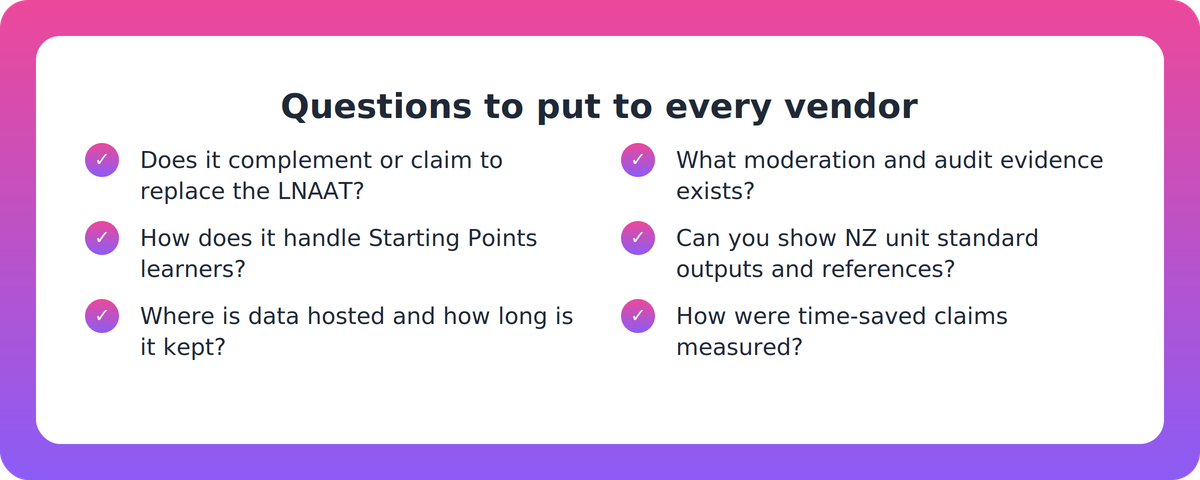
- Role relative to the LNAAT. Does it complement the diagnostic (for example, by pitching content to learner levels) or claim to replace it? Ask whether it reads or uses LNAAT results at all.
- Learning Progressions alignment. Can it work with Steps 1 to 6, and does it handle learners at Starting Points level?
- Depth of ESOL support. Adjusted reading level and added language support are useful. They are not the same as a genuine pathway for beginning English learners.
- Workflow fit. Does it suit the TEC's early-assessment and organisation-wide consistency expectations, or does it work around them?
- NZ evidence. Ask for NZQA unit standards and NZQF levels in practice, plus NZ customer references. Positioning built for another market is a flag.
- Mapping and assessor guides. Does the assessor guide show coverage against the standard, and how accurate is the mapping?
- Formats and delivery. Classroom, workplace, distance, print and LMS: does it fit the systems you already run?
- Claims and pricing. Be cautious about time-saved, "guaranteed compliance" or pass-rate claims, and ask how they were measured. Ask what's live and what's still on the roadmap.
What about ESOL learners below Step 1?
This is where buyers should push hardest. The Starting Points options exist for learners who aren't ready for progressions-based assessments. Starting Points Listening suits beginning English language learners. NZCER guidance (older) says beginning-English ESOL learners should not be given a Reading Assessment.
So ask any vendor a plain question: what happens for a learner who isn't ready for Step 1 material? Simplifying the language of a resource is helpful. It doesn't replace the right assessment choice, made by a qualified person.
How do privacy, hosting and moderation evidence affect the choice?
LLN and ESOL results are learner personal information under the Privacy Act 2020, which sets 13 information privacy principles. Three matter most when you're buying:
- Retention (IPP 9). Information should be kept no longer than necessary. Ask how retention and deletion work in the tool.
- Access and correction. Learners have rights here. Ask how the vendor supports your response to those requests.
- Offshore disclosure (IPP 12). This matters if a vendor hosts data outside NZ. Ask where data sits and who can reach it.
Confirm the details against the Act and the Office of the Privacy Commissioner's guidance. Also ask for independent evidence of any security certification a vendor claims. A badge on a web page isn't evidence.
Then there's moderation. Whatever the tool produces, qualified assessors and moderators must validate and compliance-check it. Look for built-in human review steps, version control and audit logs, so you can show what changed and who approved it.
The Pastoral Care Code of Practice 2021 (in effect 1 January 2022) adds context. It expects learner-support practices that help learners prepare and adjust for tertiary study, and oversight of achievement and engagement. That shapes how you should use LLN and ESOL results, whatever software sits around them.
Can you rely on vendor claims of NZQA alignment?
Not on their own. No formal NZQA standard exists for "LLN/ESOL assessment software", because the Code and the TEC's funding conditions apply to providers, not products. We also found no regulator or independent evaluation of AI tools for LLN and ESOL use in NZ, and no TEC endorsement of third-party LLN/ESOL software.
That puts the evidence burden on you. Ask for sample outputs mapped to a real unit standard, the assessor guide that goes with them, and a description of how your own moderators would review the work. Treat "aligned" as a claim to test.
Where does Supahuman's VETos fit, and where doesn't it?
In the interest of a fair comparison, here is our own position. VETos sits in the second group, supporting software. Its platform page describes adjusting reading level and adding language support for LLN and ESOL learners in the resources it generates, so materials stay accessible without lowering the standard. Industry Profiles let a provider set sector or workplace context once, so examples and scenarios carry across assessments and learning resources. It generates assessments and study guides mapped to NZQA unit standards, with assessor guides alongside.
The limits matter just as much:
- Nothing in our site material describes LNAAT delivery or replacement, Learning Progressions handling, or any LLN/ESOL screening function.
- TEC and NZQA reporting is listed as a workflow not yet covered, and Assessor Quality Assurance tools are described as upcoming.
- Much of the main-site positioning is written for Australian providers, so ask for NZ-specific evidence.
- Hosting is stated as AWS in Australia with ISO 27001 / NZISM-aligned controls. That is a vendor claim, and we haven't confirmed independent certification, so ask to see it.
- Pricing isn't published that we could find.
- No independent NZQA audit of a specific AI assessment-generator product has been published, including ours.
A sensible next step
Write your own short requirements list from the criteria above, then put the same questions to every vendor, us included. If you'd like to see how VETos handles contextualised resources for a unit standard you already deliver, you can start at supahuman.com. Either way, the checklist is yours to keep.
Key takeaways
- "LLN ESOL assessment software" covers two things: the TEC's LNAAT diagnostic and supporting software that contextualises resources. Only the first diagnoses.
- Choose tools that complement the LNAAT and the Learning Progressions. Be wary of any that claim to replace them.
- For ESOL learners below Step 1, ask how the tool works with Starting Points options rather than just simplifying text.
- Check data hosting, retention, offshore disclosure and independent security evidence against the Privacy Act 2020.
- Qualified assessors and moderators validate every output. Confirm current TEC funding conditions directly.
Our take
The best LLN and ESOL software is the kind that makes your assessors' judgement easier to apply, not the kind that tries to stand in for it. The diagnostic belongs to the TEC, and the decisions belong to your qualified people. Buy tools for the work around that: resources pitched at the right level, with a clear audit trail. And be sceptical of any vendor who can't say plainly what their product doesn't do.
FAQ
Does LLN and ESOL assessment software replace the LNAAT?
No. The LNAAT is the TEC-provided diagnostic, and it is required to determine eligibility for ILN, EWLN and TEO-led Workplace Literacy and Numeracy funding. Supporting software contextualises learning and assessment resources. It doesn't deliver or replace the diagnostic.
What should a NZ training provider compare when choosing this software?
Compare its role relative to the LNAAT, alignment with the Learning Progressions, depth of ESOL support, fit with TEC's early-assessment expectations, data hosting and retention, moderation and audit features, and NZ-specific evidence. Also ask how any time-saved claims were measured.
How does the Privacy Act 2020 affect AI tools for LLN and ESOL learners?
LLN and ESOL results are learner personal information under the Privacy Act 2020. Retention (IPP 9), learner access and correction rights, and disclosure outside NZ (IPP 12) all matter when a vendor hosts data offshore. Confirm details against the Act and Privacy Commissioner guidance.
Can I rely on a vendor's claim of NZQA alignment?
Not without evidence. No NZQA standard exists for this type of software, and we found no independent evaluation of AI tools for LLN and ESOL use in NZ. Ask for outputs mapped to a real unit standard, assessor guides, and a clear human moderation process.
Do I still need qualified assessors if I use AI-assisted tools?
Yes. AI assists a qualified, accountable person. Assessors and moderators must validate and compliance-check every output, and competency decisions stay with them.