Assessor Guide Generator Software for RTOs: What to Look For
13 October 2026 · 7 min read
The best assessor guide generator software for an Australian RTO ties every task back to a specific unit requirement and gives a qualified person something real to review before use. Drafting speed matters far less. ASQA assesses your RTO against Standards 1.3 to 1.5 of the 2025 Standards for RTOs, not the tool you bought.
What should an RTO look for in assessor guide generator software?
Start with what the category is. There is no regulator definition of "assessor guide generator software". ASQA doesn't endorse or certify specific tools, and there's no independent benchmark. Evaluation comes down to demos, sample outputs and your own validation. Treat every vendor claim as self-reported, including ours.
The 2025 Standards for RTOs took effect on 1 July 2025. ASQA's Assessment Practice Guide covers three standards that matter here:
- Standard 1.3: a fit-for-purpose assessment system
- Standard 1.4: the principles of assessment and rules of evidence
- Standard 1.5: validation
So the practical question isn't "how fast does it draft?" It's "what does a qualified person get to review, validate and sign off?"
Why is traceability the test that matters most?
An assessor guide is only useful if a validator or auditor can follow the line from unit requirement to task to benchmark. Supahuman's own unit of competency assessment software guide makes the same point. That's a vendor source, so weigh it accordingly.
When you look at a tool's output, check whether:
- every element, performance criterion, knowledge evidence and performance evidence item traces to a specific task and benchmark
- the assessor guide includes marking guidance, benchmark or exemplar answers and moderation instructions
- the guide stays in sync with the tool when someone edits a task
That last point is where many setups quietly fail. Vendors commonly describe assessor guides, marking guides, mapping matrices and benchmark answers as separate outputs (eSkilled's LLND tool lists several of them). Ask exactly which ones a tool generates, and whether they stay linked.
Does it contextualise, or just fill a template?
ASQA's guide lists reliance on purchased assessment tools that aren't contextualised to the student cohort, learning environment or training product as a known risk. Generic output is the thing to avoid.
Test whether the software can tailor tools to:
- your industry and workplace setting
- your learner cohort, such as ESOL or LLN
- your delivery mode, whether classroom, workplace or distance
Then ask whether the assessor guide changes along with the assessment, or whether you rebuild it by hand.
Can AI-generated assessor guides meet ASQA expectations, and who stays accountable?
AI can assist the work. It doesn't carry the accountability. Under Standard 1.3, an RTO must show that assessment tools are reviewed before use and that review outcomes inform changes. ASQA's guide flags generic templates or checklists for pre-use review as a risk, so a tick-box won't cut it.
Competency decisions, validation and sign-off stay with qualified, accountable RTO staff. Trade press (The Sector) reports that ASQA's AI principles add no new regulatory requirements and help providers manage AI use within existing obligations. The assessment practice guide also flags AI-generated assessment evidence as an authenticity issue. We couldn't retrieve ASQA's final AI Principles page, so check asqa.gov.au directly.
Version control and audit trails, such as timestamped decisions, are useful. But they're vendor features, not ASQA requirements. Value them for the evidence they give your own review, not as compliance in themselves.
How do I check the mapping really covers the unit, including ASK-format units?
Don't take a coverage percentage on trust. Ask for a real mapping matrix and walk through it yourself.
- Pick a unit you know well and ask the vendor to generate for it live.
- Check each requirement against the matrix, line by line, and look for gaps.
- Edit a task, then see whether the mapping and assessor guide update.
- Repeat with an ASK-format unit, introduced under the 2025 Training Package Organising Framework. Confirm it runs through the same workflow, not a workaround.
- Confirm the data comes from current training.gov.au content and that superseded products get flagged.
If your validator can't follow it, an auditor won't be able to either.
What should I ask a vendor to show me before I buy?
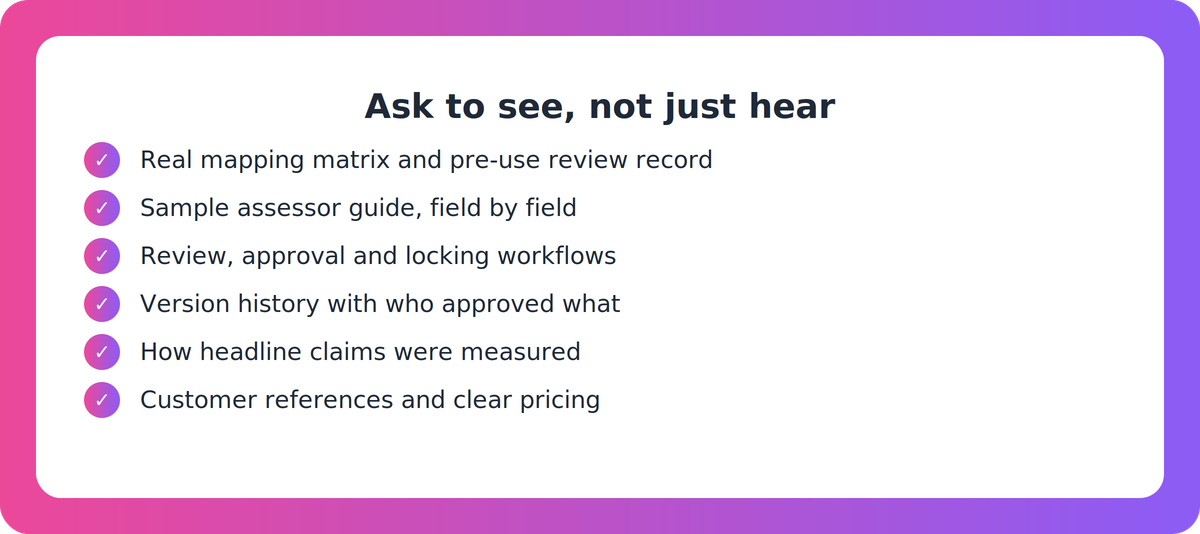
Ask to see things, not hear about them. A demo of drafting speed tells you little about pre-use review.
- A real mapping matrix and a pre-use review record
- A sample assessor guide, field by field
- Review, approval and locking workflows, with a named accountable person
- Version history showing what changed, when, and who approved it
- Editable and print-ready outputs, LMS compatibility and any repository connectors
- How headline figures (time saved, validation pass rates) were measured
- Customer references and sample outputs
- Pricing, and how it scales with your portfolio and team
Where does Supahuman VETos fit?
We built VETos for this job, so weigh this section accordingly. Based on our published material, it produces an assessor guide and mapping document alongside each assessment, whether standalone, clustered, grouped or integrated, linked to the RTO's own scope items on the national training register. The mapping matrix is generated from live training.gov.au data for traditional or ASK-format units, and updates when a task is adapted. Version history is kept as the evidence trail.
Contextualisation runs through Industry Profiles and Language Support for ESOL, LLN and multilingual learners. The platform describes assign, review, approve and lock workflows. A qualified person still validates and signs off, and the competency decision stays with the assessor.
Two honest caveats. Published claims such as "minutes, not months" and a 95% first-time validation pass rate come with no methodology or independent verification, so ask how they were measured. And our materials don't include a field-by-field sample assessor guide, so ask to see one. Pricing is public only as named tiers (Good, Better, Best).
A sensible next step
Shortlist two or three tools and run the same unit through each, including one ASK-format unit. Give the outputs to the person who validates your assessments and let them mark up the gaps. That exercise is worth more than any feature list, and it's useful whether or not you ever buy from us.
Key takeaways
- No regulator defines or endorses this category. ASQA assesses your RTO against Standards 1.3 to 1.5, not the software.
- Traceability from unit requirement to task to benchmark is the key test, and it should hold for traditional and ASK-format units.
- Contextualise to industry, cohort and delivery mode. Generic templates are a flagged risk.
- AI assists. Qualified, accountable RTO staff still review, validate and sign off.
- Ask vendors to show real mapping matrices, pre-use review records and how their headline claims were measured.
Our take
Buy for reviewability, not speed. A tool that drafts an assessor guide in minutes but leaves your validator unable to trace a single task to the unit has just moved the work, and added risk. The right choice makes human review faster and better evidenced, and leaves no doubt about who signed off. If a vendor can't show you that in a live demo on your own unit, keep looking.
FAQ
What should an Australian RTO look for in assessor guide generator software?
Look for unit traceability, contextualisation to your industry, cohort and delivery mode, assessor guides with marking guidance and benchmark answers, and built-in review and sign-off with version history. Check it handles both traditional and ASK-format units, and ask to see a real mapping matrix.
Can AI-generated assessor guides meet ASQA expectations under the 2025 Standards for RTOs?
ASQA assesses your RTO's compliance with Standards 1.3 to 1.5, not the tool. AI can assist drafting, but the RTO must review tools before use, validate them and keep qualified staff accountable for assessment decisions. Check ASQA's AI guidance directly.
How do I check an assessor guide and its mapping cover the unit of competency?
Generate for a unit you know, then check each requirement against the mapping matrix line by line. Edit a task and see whether the mapping and guide update. Repeat with an ASK-format unit, and have your validator review the result.
What should I ask a vendor to show me before I buy?
Ask for a real mapping matrix, a pre-use review record, a sample assessor guide, review and approval workflows, version history, and output formats. Ask how time-saved and validation-pass figures were measured, and request customer references and pricing.